Aapeng: Hare Krishna
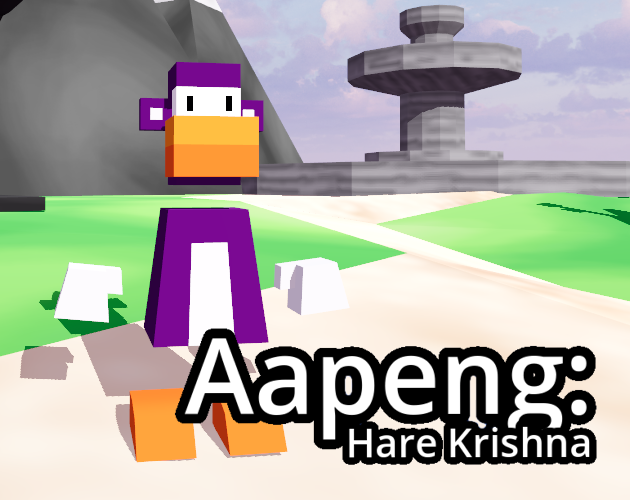
A short and comedic narrative title with a strong and versatile dialogue system at it's core. The gods want your input on creating a new world. Available on itch.io.
Solo Project
Made for the end of my first study year.I wrote all of the code and systems myself, and used no pre-built plugins or templates.
2025
10 weeks of development.Released on June 6th.
Godot
Blender, Aseprite & Krita.
Summary & Overview
While I've always enjoyed writing, narrative, and anything to do with parsing strings and dialogue, Aapeng: Hare Krishna was my second published title where worldbuilding, dialogue and storytelling were essential to the experience I wanted to create. By taking what I'd learned from my first endeavor into dialogue system design and spending a lot of time upfront researching and developing a second iteration of the same system I'd built for a previous title, I streamlined the entire writing and content creation process.
This project ended up being the turning point where I'd start to discover my talent and love for UX design. I can't stand leaving small annoyances or playtesting pain-points in the final product, and I have a great eye for detail, my games are always bug-free. In the case of this project, I'd nailed the UX not just for the player, but also for the development process itself, creating an efficient writing workflow.
Why Dialogue Systems?
I've always really enjoyed JRPGs and writing, not to mention the simple joy of parsing through an array of strings, and I wanted to explore retelling hindu mythology in a creative way, with this game being the result of these fascinations.
What led me here?
I'd made a similar dialogue system for an earlier game, near the end of 2024, which I then expanded on for Aapeng.
This worked decently well, and took cues from various RPG Maker versions and previous attempts, but ultimately working with in-engine arrays was inconvenient and cumbersome, and it was easy to accidentally lose data.
Core principles that I carried over into this second iteration were the system being modular and reusable, along with being generally polished, but this time I also wanted to streamline writing and keep dialogue in separate files.
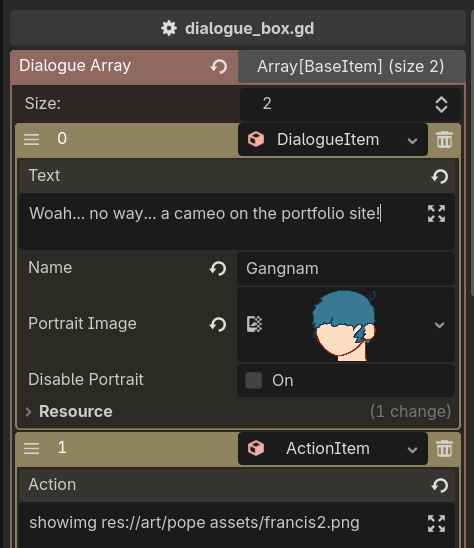
This earlier system used custom Godot resources, akin to Unity's ScriptableObjects.

I'd also played with the popular Visual Novel engine Ren'Py earlier in the year. I took a lot of inspiration from it's simple and intuitive text-based approach to storing dialogue.
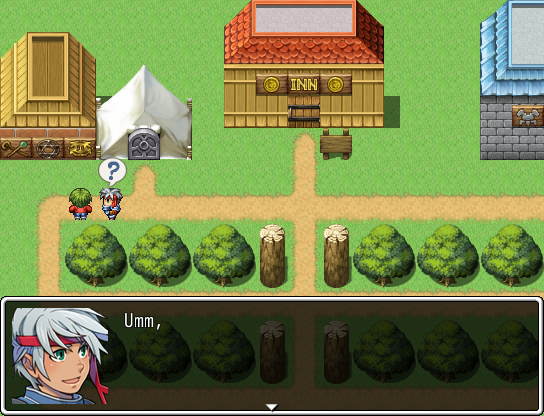
Here's an old RPG maker game of mine, I made this one at 11 years old.
Dialogue System Design
Making writing simple
One of the most essential features of any good dialogue system is minimizing the friction between the author and the writing process. It's cumbersome to have to select "New Dialogue Box" from a drop down for every line, so instead I opted for a simple .txt parsing system, meaning I could write out entire dialogue sequences in one file, and have them work in game immediately.
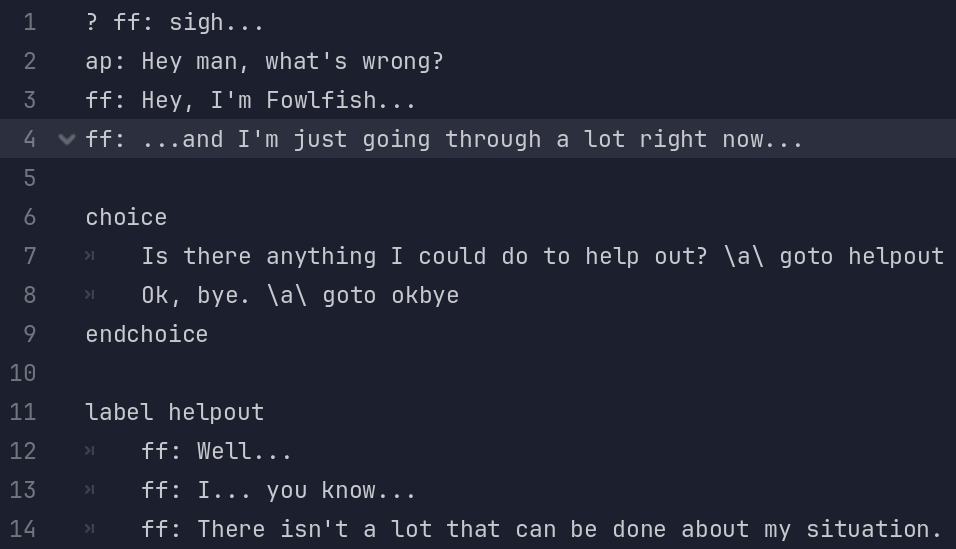
One of the .txt dialogue files.
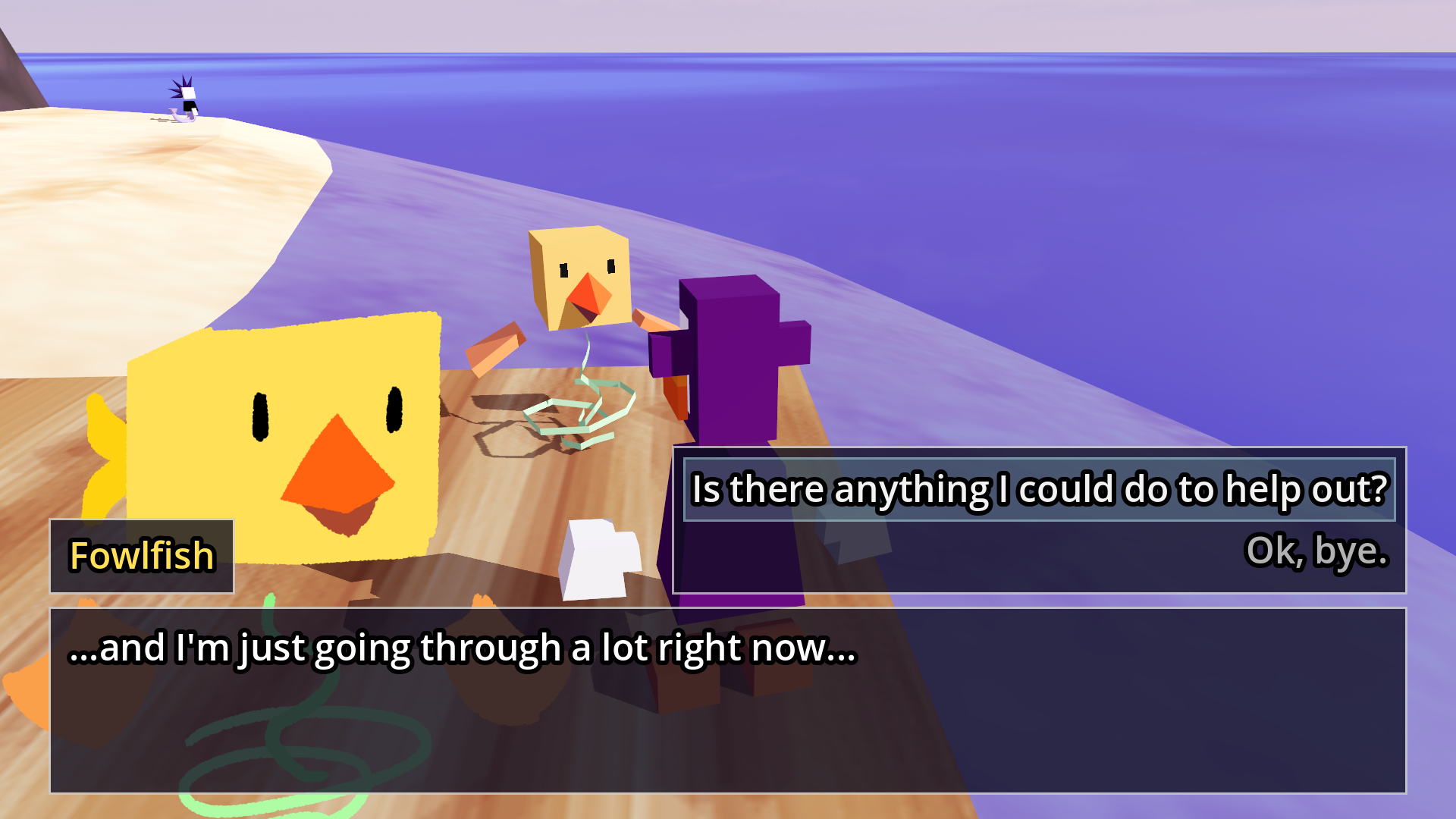
The Dialogue in-game.
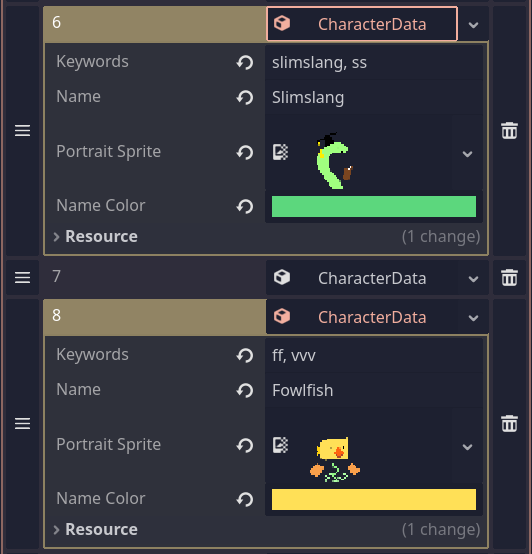
Character Data
Dialogueboxes often contain more than just text. Portrait sprites, character names, custom colors, etc. It's useful to have these customizable together with the dialogue itself, but you don't want to end up having to select or change a portrait image for 50 dialogue boxes in a row.
My solution was to seperate all of this data into a seperate character database, which kept the dialogue files clean.
Modifiers
Sometimes you want certain lines of dialogue to have special effects or modifications, like blacking out the character portrait or leaving the character's name as "???" before they've introduced themselves. For this purpose I introduced modifiers, custom tags that I can append before a line of dialogue to do a variety of things.
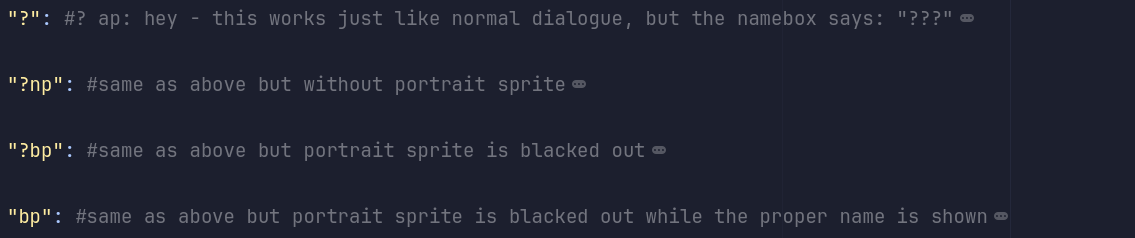
A few of these modifiers in code.

A character revealing their name in a dialogue file...
...and here it is in-game!
Choices and Labels
By taking inspiration from my time with the programming language Batch, I built in a way to jump around dialogue files based on choice boxes, they're marked by simple choice and endchoice keywords, and each line represents one of the choices the player can make, ending on the label the choice needs to jump to, which can be defined anywhere else in the file. I'd like to show you this image from before one more time;
A choice written out in a .txt file, fully functional in-game.
There's a lot more to get into with this system, like playing animations at specific points, switching scenes, and assigning multiple .txt files to each character which they can also swap between, depending on the game state, but for now I'll leave this breakdown of the system here.
UX & Playtesting
A lot of time and effort went into the small details that elevate a game from functional to excellent. I'd like to highlight some of the choices and iterations I made along the way, backed by playtesting with ~10 playtesters.
Dialogue Exiting
I wanted to give the player control over the camera in dialogue scenes, and I wanted the player to be able to leave dialogue whenever they'd like, so I built my interaction system based on a radius.
You're able to walk around and leave freely at any point during dialogue, so accidentally selecting the wrong dialogue option doesn't mean having to sit through the same bunch of text.
Walking and exiting during a dialogue sequence.
Interaction Radius
With a system that allows for a lot of player freedom on entering/exiting dialogue, I made sure to enlarge or shrink the radius that detected NPC's and interaction during dialogue sequences. This ensured there was always enough room to walk around characters, and it meant you wouldn't leave accidentally.
DEBUG VIEW: See the collision shape grow and shrink.
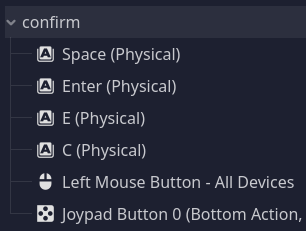
A variety of inputs for the confirm action.
Controls and Conventions
By keeping the systems simple I was able to keep the controls to just moving and a single confirm button, with an optional sprint key.
I ended up mapping multiple common keys to the same actions, to make sure the control scheme was as intuitive as possible. The first button you try will probably work.
My personal favorite input was scrolling up/down for dialogue option select, which ended up being intuitive to every playtester.
Instant Load Times
With a custom scene loading setup, I was able to use multithreaded loading during dialogue sequences. This eliminated the need for loading screens.
I used this intentionally to surprise the player in a few scenes, and gave me fine control over the narrative and pacing.
Playtesting; Where to next?
Something a lot of playtesters got stuck on with an alpha version was it not being clear when they'd finished a character's questline, or which ones were still available, I added multiple solutions to this.
Quest HUD
Whenever a questline is finished, the new Quest HUD slides onto screen and reveals an Icon of the character in question.
When Standing still, this same HUD slides onto screen, serving as a reminder.
Finishing a questline.
Looking at the HUD.
First NPC Hints
I very intentionally made sure the first NPC you encounter feels a little off and different from the others. Whenever players got stuck, they often went back to the first character they spoke. I added a hint/help dialogue option to this NPC to steer players in the right direction.
Asking Wolfgang for help.
Post Mortem

While the game obviously isn't perfect, and there are always still small improvements to make, my writing workflow went excellently during this project. By optimizing and refining the way I write and work, I was able to deliver a lot of content and playtime in the short 10 weeks I had to work on it.
I'm considering making a remaster some day, I feel like more could be done to make the moment to moment gameplay more interesting, and maybe having a dedicated artist on board would lead to a nicer looking island. I'd like to improve the camera system also. Despite the flaws in some areas of the game, I can't say the same for my dialogue system. I still use it as a blueprint for all of my future work.